Stripe
Plan checkout and subscription webhooks are present when Stripe is configured.
Run cashier orders, kitchen status, menu inventory, staff access, and reports from one workspace.
CrysoLabs Restaurant POS connects the front counter, kitchen, manager dashboard, inventory, team access, billing, mobile analytics, and desktop customer display into a focused operating system for restaurants that want cleaner service workflows without claiming enterprise complexity before it is proven.
Problem
Product promise
Workflow
This is the practical path verified from implementation, not a wishlist of future capabilities.
Create or onboard the restaurant workspace
Set restaurant settings and invite staff roles
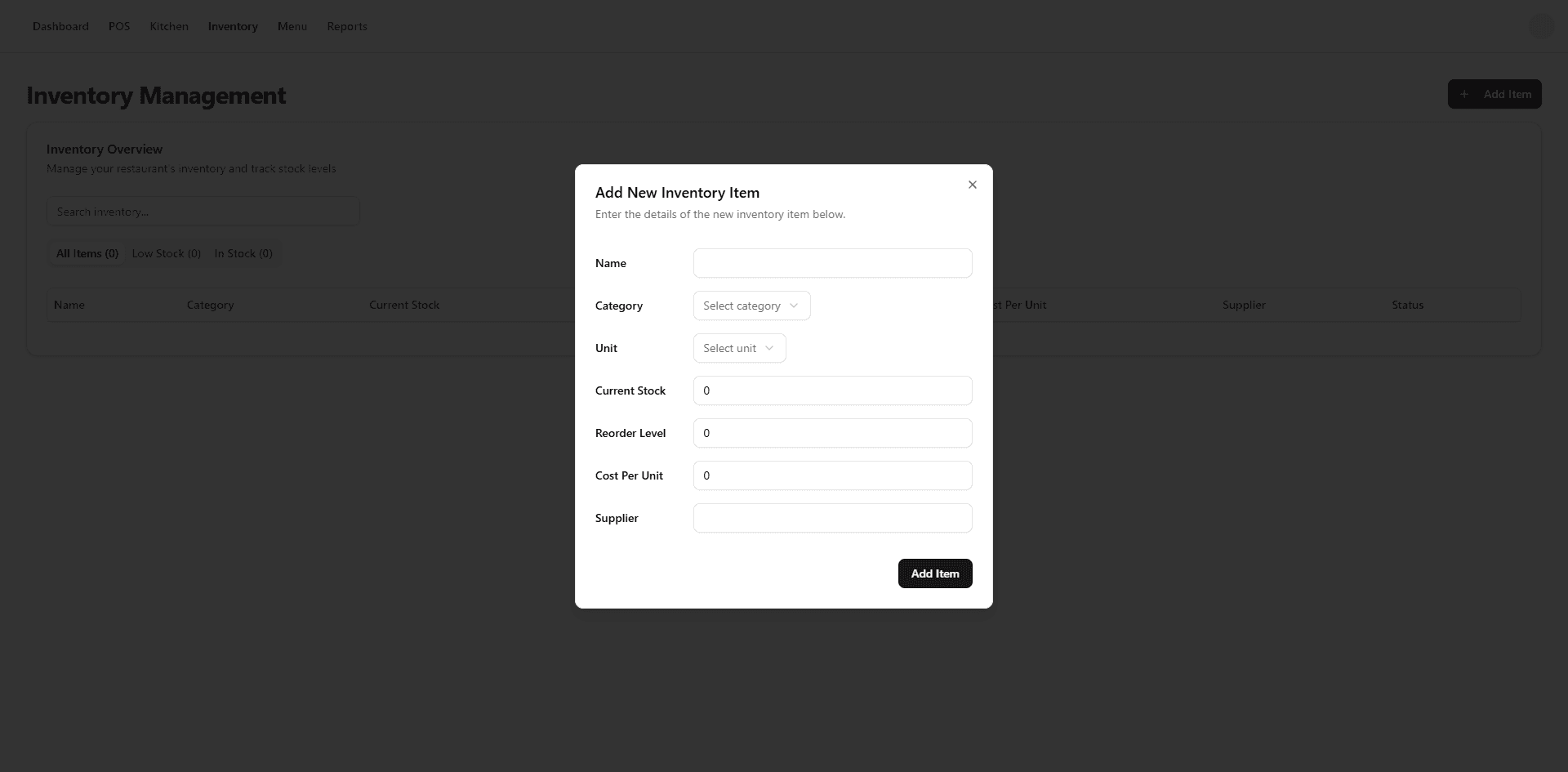
Create inventory items and menu items
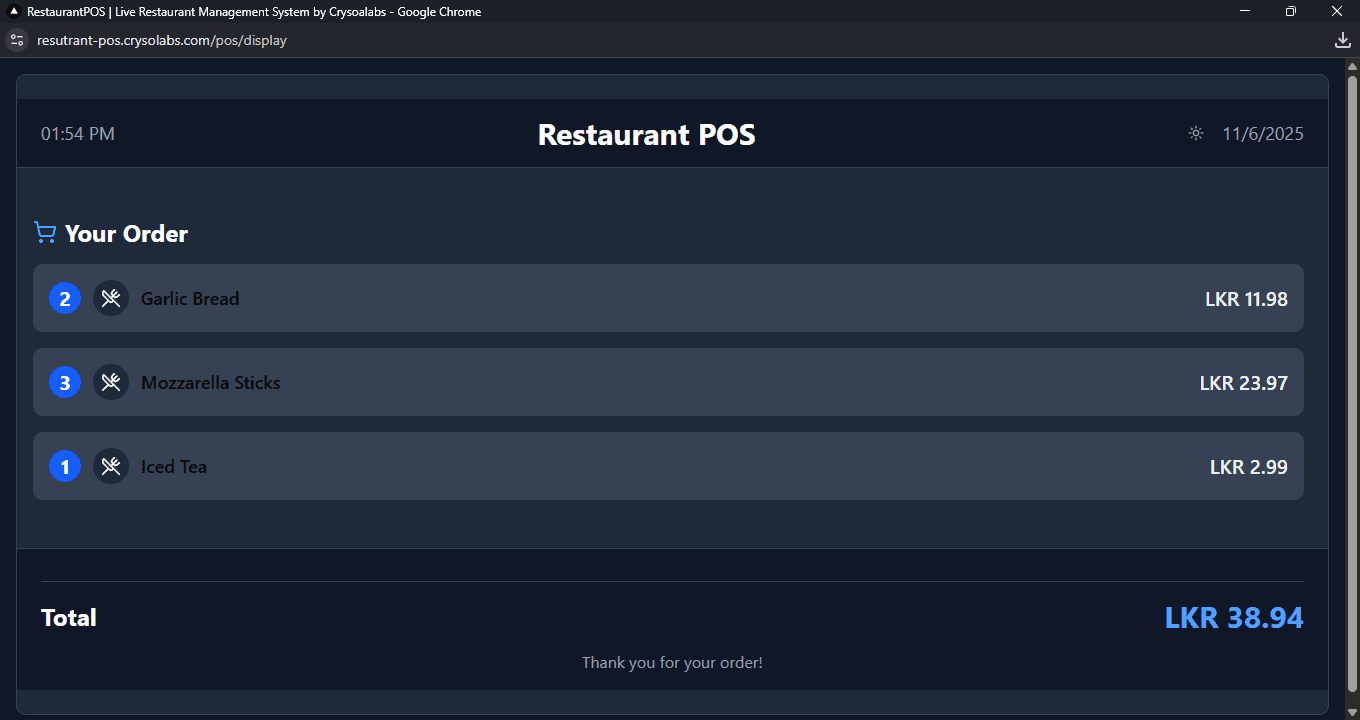
Enter a dine-in, takeaway, delivery, or online-channel order
Send the order to the kitchen display
Update kitchen status as food moves through preparation
Review sales, low-stock items, and reporting from dashboard or mobile
Verified features
Each feature below is backed by implementation evidence from schemas, server actions, routes, APIs, or client screens.
The POS screen supports searchable categories, item cards, cart quantity controls, table and customer fields, order channels, queued-order indicators, and a send-to-kitchen action.
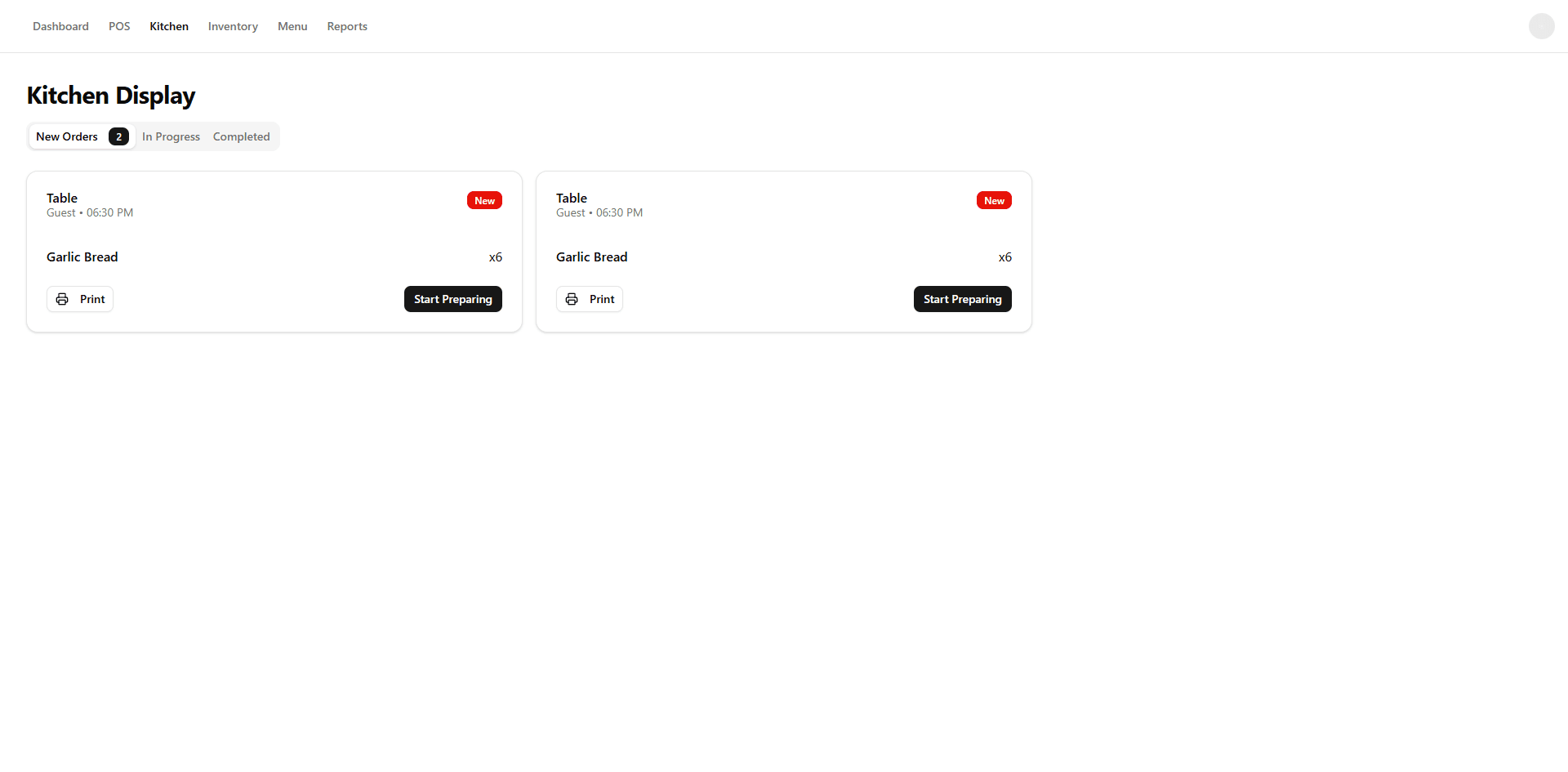
Kitchen staff can view new, in-progress, and completed orders, update statuses, reconnect realtime events, and fall back to polling.
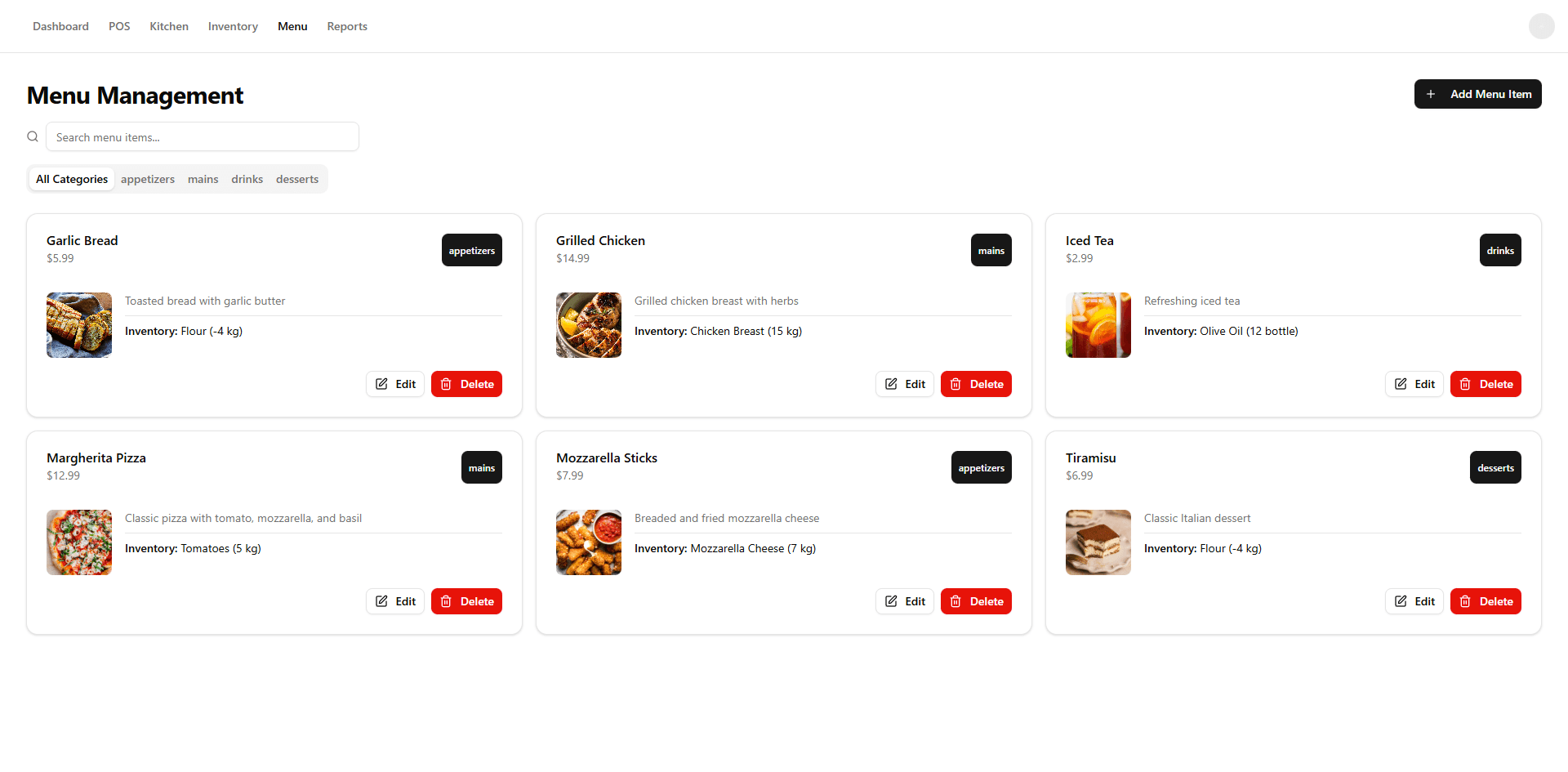
Menu items connect to inventory items; order creation validates menu ownership and decrements linked inventory stock.
Restaurant memberships, invitations, and roles separate admin, manager, cashier, kitchen, and staff responsibilities.
The app calculates daily, weekly, and monthly sales, category sales, top-selling items, recent sales, low-stock alerts, and report exports.
The Expo app authenticates with secure token storage and exposes orders, inventory, menu images, settings, restaurant switching, and analytics screens.
Plans gate reports, mobile analytics, extended analytics, customer display, and desktop app access through entitlement checks.
The Electron shell can open, focus, fullscreen, and position a customer display window on connected screens.
Subscriptions support Stripe checkout where configured and manual payment proof review with R2 storage.
Product screens
Screenshots are pulled from existing product assets and repository screenshots rather than stock imagery.
Integrations
Plan checkout and subscription webhooks are present when Stripe is configured.
Media and payment proof uploads are stored through R2 helpers when configured.
Order, menu, inventory, and dashboard updates publish through realtime helpers with polling fallbacks in key screens.
The desktop app packages the POS web app with tray, updater, recovery, and display-window controls.
Current limitations
These gaps are intentionally visible so the product pages stay accurate while the roadmap continues.
FAQ
A demo-led setup is recommended because restaurant onboarding depends on menu, inventory, staff roles, devices, and service flow.
Yes. The kitchen display page handles new, in-progress, and completed order states with realtime and polling behavior.
Not yet. The code includes queued-order indicators, sync routes, and desktop recovery screens, but a full offline guarantee was not verified.